Roblox's October 2026 Creator Update: Simpler Publishing, In-Experience Makeup and New Studio Tools Explained
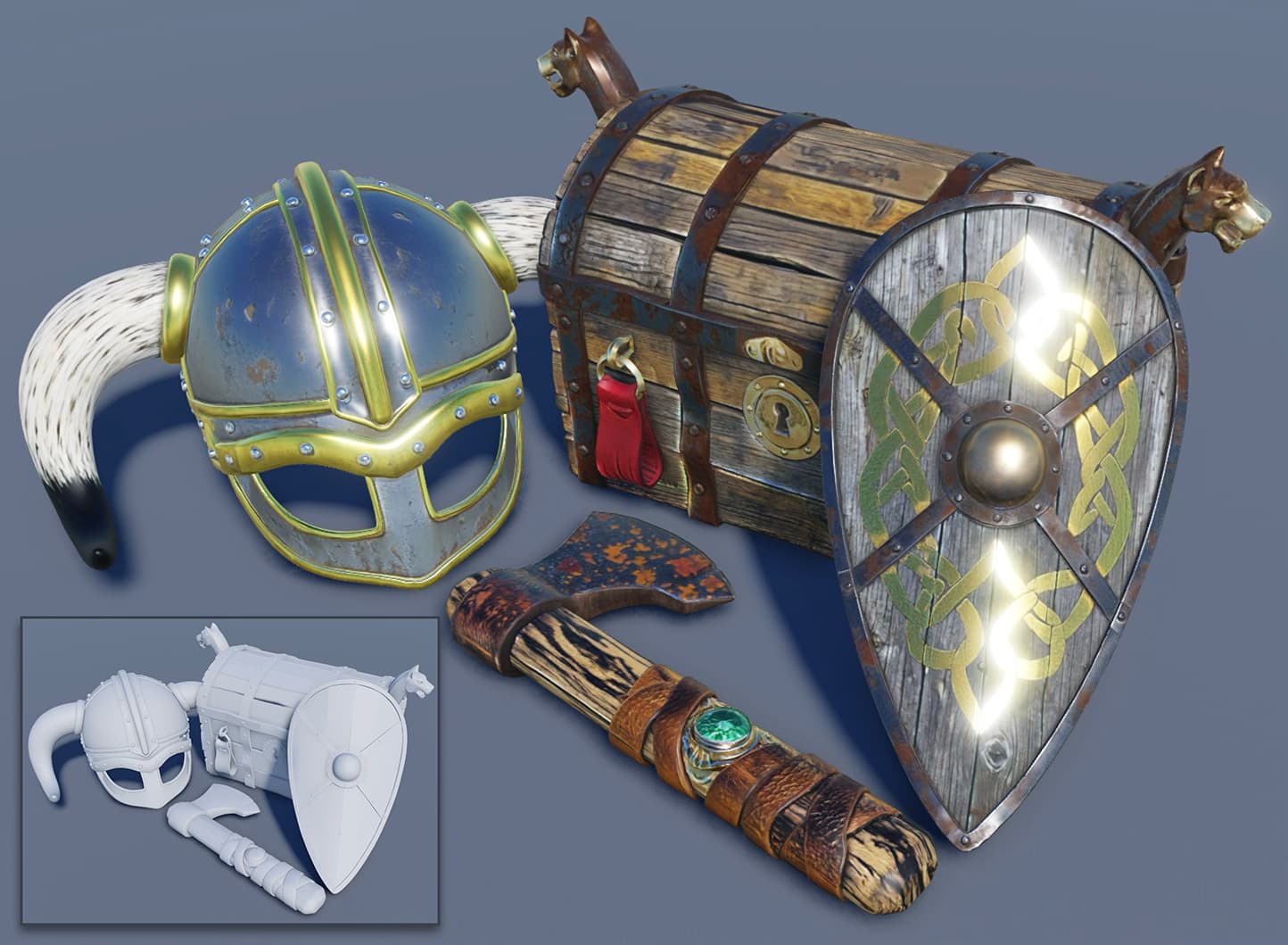
Roblox's Developer Forum confirms a packed creator update for the week of October 12-18, 2026: a simpler one-question publishing flow with early tester invites, in-experience makeup sales paying creators a 70% revenue share, custom per-game Quick Words, a beta 4K texture generator, and a fully released Device Simulator.
Roblox pushed out one of its busiest creator-facing weeks of the year between October 12 and October 18, 2026, according to the platform's own Developer Forum. A new, shorter path to publishing a game, a 70% revenue share for in-experience makeup sales, custom in-game chat phrases, a beta 4K texture generator, and a finished Device Simulator toolbar all landed within days of each other. None of it requires players to do anything, but it changes how the games on Roblox get made, tested and monetized — and several of the tools affect what you'll see as a player too.
Here's what Roblox actually announced, sourced directly from the official posts on the Roblox Developer Forum, and what each change means.
1. A Simpler Path to Publish, With Early Testers
Roblox's biggest workflow change this week is a rebuilt publishing flow that stays in sync between Studio and Creator Hub. Previously, taking a game live could mean working through a content-rating questionnaire with as many as 30 questions. Under the new flow, a game with no age-restricted content can reach players aged 16 and up by answering a single confirmation question instead.
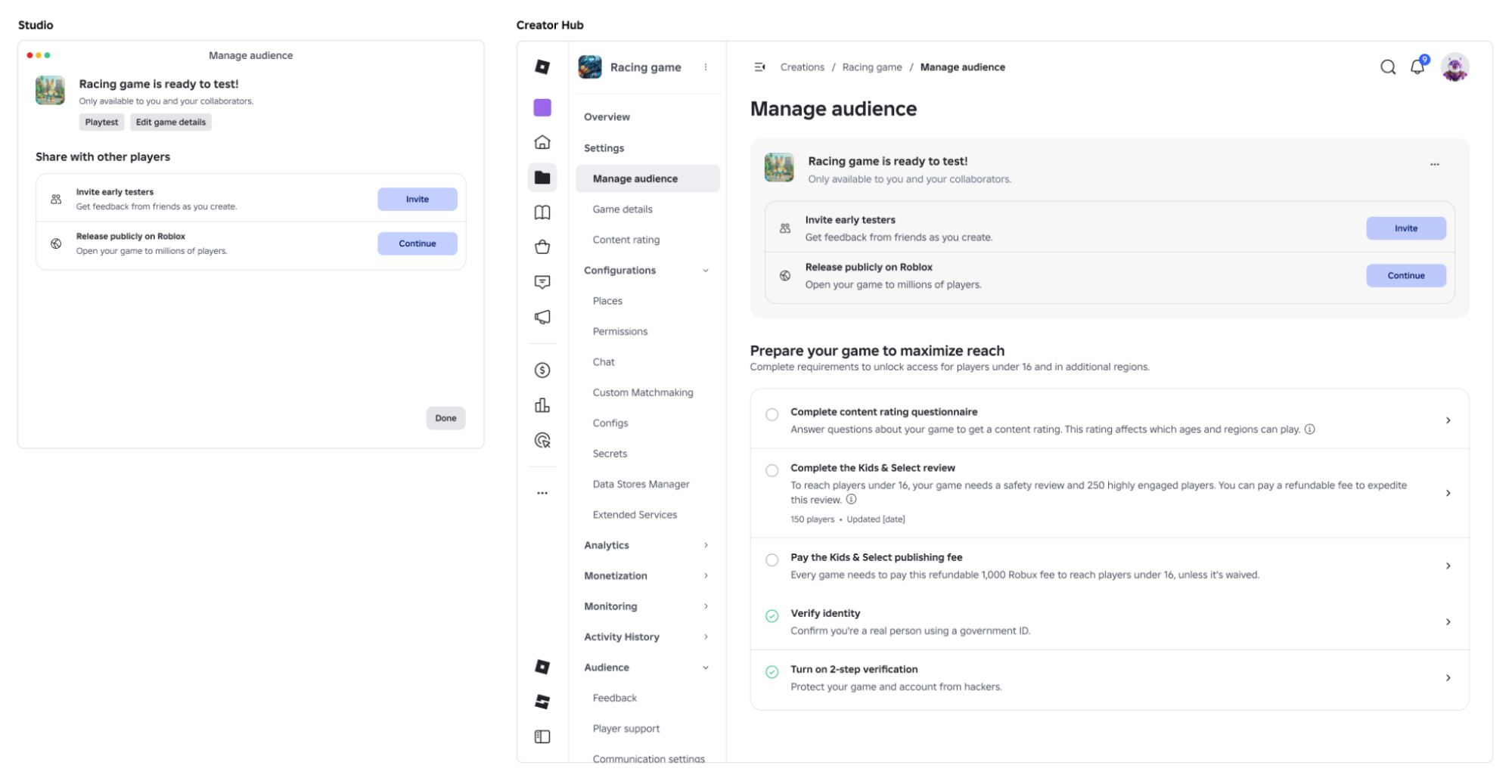
Publishing itself is now split into two options instead of the old Private/Limited/Public settings: Playtest, which replaces Private and Limited, and Public, which opens a game to everyone. Alongside Playtest, creators who are age-verified and at least 9 years old can now invite up to 10 friends — or up to 10 members of a Group, for Group-owned games — as early testers before a game goes public. Testers see a watermark during the preview and get the same reporting tools as a published game, and parents of testers under 16 can turn the feature off for their child.
Roblox also changed how it tracks the "Highly Engaged Player" count that unlocks access to younger age groups: it now updates hourly instead of once a day, and the post says the qualifying threshold is set to drop from 250 to 100 players next month.
2. In-Experience Makeup Launches With a 70% Creator Cut
Makeup is now a supported category for in-experience creation, meaning players can design, buy and save custom eyeshadow, eyeliner, lipstick and eyebrow looks from inside a game rather than only on the avatar Marketplace. Roblox's announcement, posted by the Roblox Documentation team on October 15, demonstrates the tool with a Paintbrush panel that includes hard, soft and glitter brush styles, a mirror-brush option, and a full color picker.
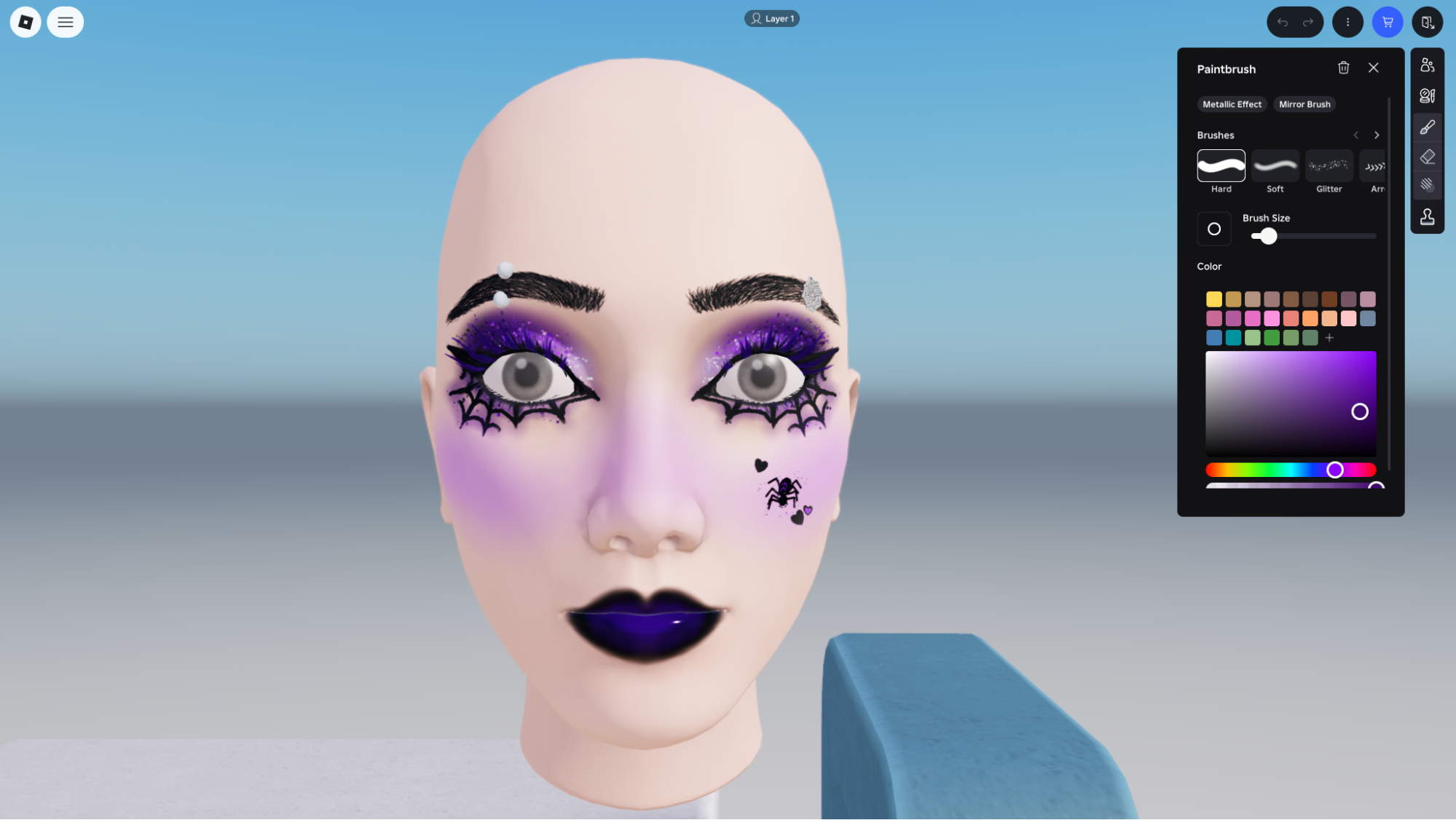
The economics are the headline for creators: makeup sold this way pays out a 70% revenue share once the creation advance is recouped, split 30% to whoever designed the item and 40% to the game's creator. Players will start seeing makeup-creation tools appear inside more experiences as developers adopt the feature; Roblox is also running a demo version inside its own uncopylocked Avatar Creator experience so anyone can try the tool before deciding whether to build with it.
3. Game-Specific Quick Words for Chat
Quick Words — the tappable preset phrases players use instead of typing in chat — can now be customized per game. Creators set them up in Creator Hub under a game's Configure > Chat > Quick Words page, and can add up to three custom categories with three to ten phrases each, on top of the default categories Roblox already provides.
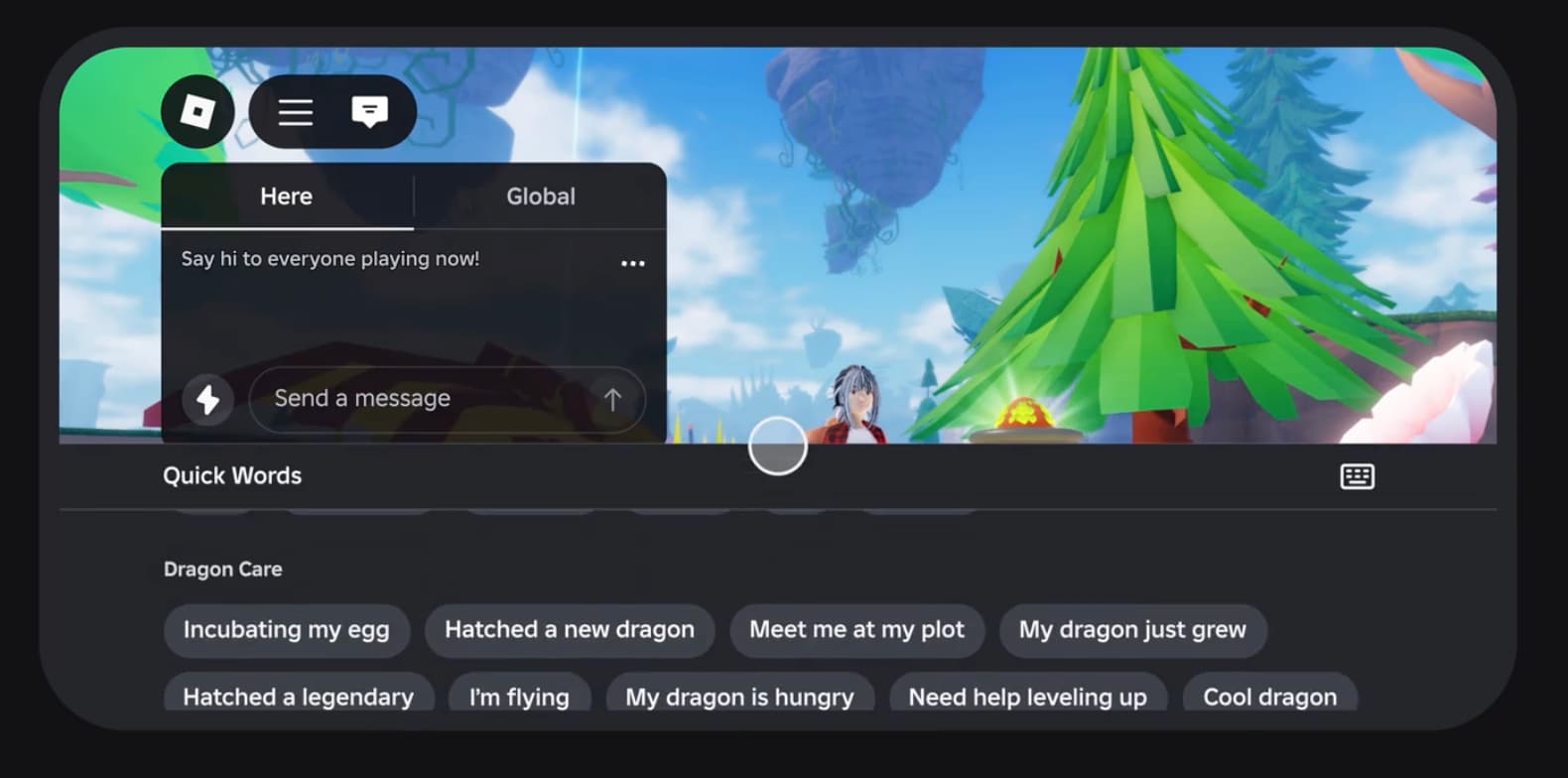
Submitted phrases must be in English and go through a content-guidelines review before they appear in chat, and approved Quick Words are automatically translated based on each player's own chat-language setting. For players, the practical effect is that chat shortcuts will start reading less like generic Roblox boilerplate and more like phrases specific to the game you're actually playing — a "Hatched a new dragon" button in a pet-raising game instead of a one-size-fits-all greeting.
4. Quality Mode for AI Texture Generation (Beta)
Studio's texture-generation tool — used to restyle a 3D model with a text prompt — picked up a beta "Quality" mode this week, alongside the existing Fast mode. Fast mode generates a color-only 1K texture in roughly 30 seconds; Quality mode takes about two minutes and produces a full 4K PBR texture set with color, roughness and metalness maps, which is what gives generated surfaces realistic lighting response instead of a flat paint job.
Video: "New Texture Generation Quality Mode Beta," via the official Roblox Documentation YouTube channel.
The tool also now supports multi-part meshes, so hidden pieces of animated or scripted models get textured correctly instead of being skipped. Roblox's guidance for creators is to prototype a prompt in Fast mode first, then rerun the same prompt in Quality mode once the look is right — and to describe materials, colors and condition in the prompt rather than lighting, camera angle or particle effects, which the generator doesn't currently account for.
5. Device Simulator Exits Beta With a Network Simulator
Studio's Device Simulator, which lets creators preview how a game looks and performs on different hardware, is now a full release with a redesigned toolbar. Creators can switch simulated devices mid-playtest without stopping, auto-match DPI and scaling to their own monitor, and toggle on-screen touch-control hints for touch devices.
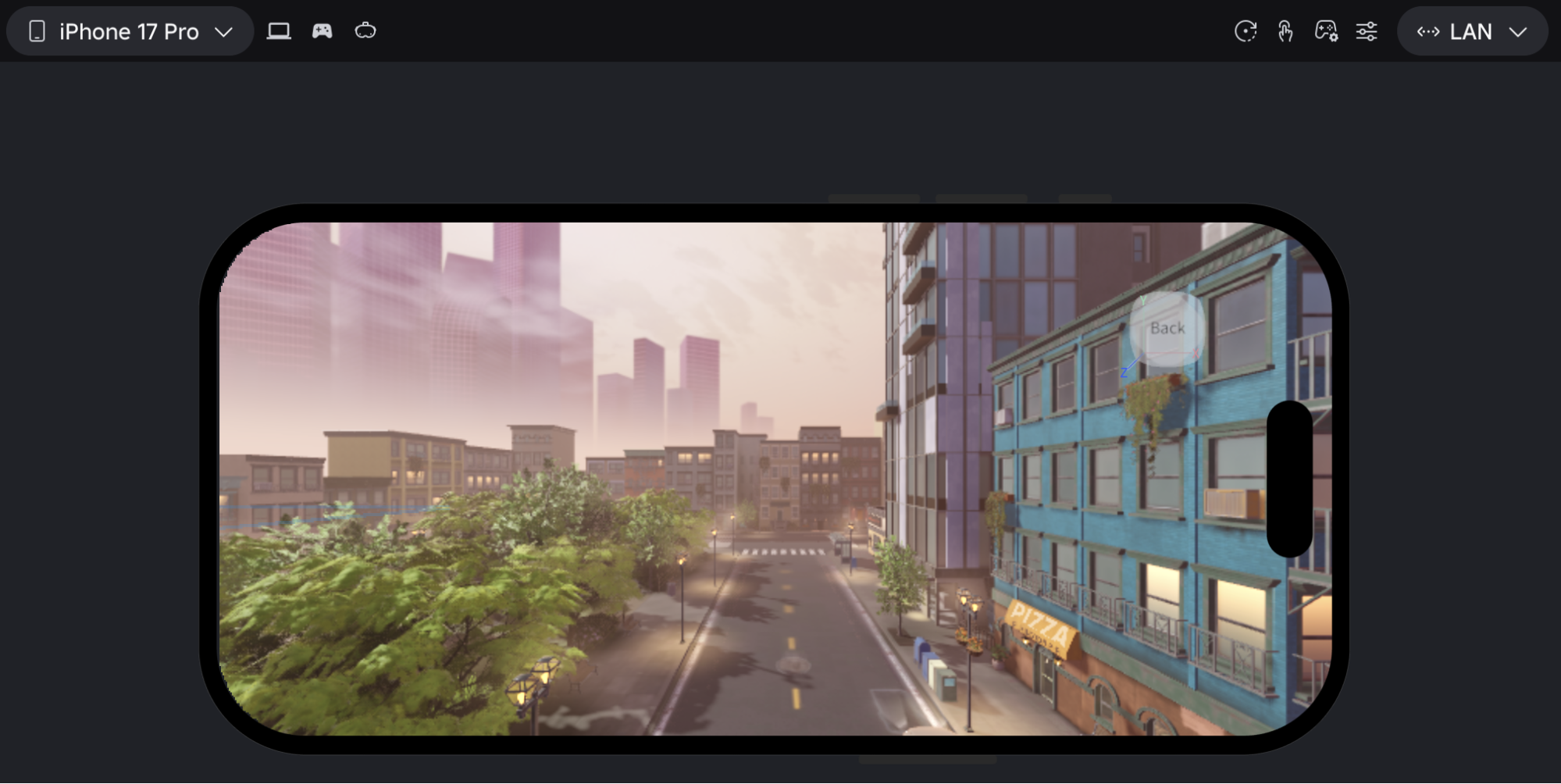
The accompanying Network Simulator adds built-in connection profiles — including 3G, 4G, Wi-Fi and wired — plus custom saved profiles and separate inbound and outbound settings, so a creator can test how a game behaves on a weak connection without leaving Studio. Roblox is explicit that these profiles are approximations that only affect local Studio playtests, not a game's actual published network behavior.
6. Smaller Changes: DevEx Rates and Discovery Measurement
Two more updates round out the week, both affecting the economics and analytics side of Roblox rather than gameplay directly. Eligible Paid Access purchases in Robux from age-checked 18+ players in the US now pay creators $0.54 per 100 Earned Robux, up from $0.38 — a 42% increase — as of September 21, extending a higher DevEx rate that Roblox introduced for other US 18+ purchases back in June.
Separately, starting October 12, Roblox changed how it records impressions, clicks and plays sourced from the Home, Search and Charts surfaces, moving those events onto a more reliable delivery pipeline so fewer get lost when the app closes or crashes mid-session. Roblox says creators may notice higher impression and play counts alongside a small drop in play-through rate as a result, but that the change reflects measurement accuracy rather than any shift in how Recommended For You actually ranks games, and that historical analytics data is unchanged.
Quick-Tips Recap
- Publishing a game with no age-restricted content can now take one confirmation question instead of a full rating questionnaire — look for the new "Manage audience" page in Creator Hub.
- Invite up to 10 friends or Group members as early, watermarked testers before taking a game public.
- In-experience makeup purchases now pay creators a 70% revenue share after the creation advance is recouped.
- Custom Quick Words are configured per game in Creator Hub under Configure > Chat > Quick Words, with up to three categories and ten phrases each.
- Texture generation's new Quality mode trades about 90 extra seconds for full 4K PBR textures — prototype in Fast mode first.
- Device Simulator's toolbar and Network Simulator are now fully released, with connection presets for 3G, 4G, Wi-Fi and wired testing.
Several of these systems build directly on tools Roblox has been rolling out all year — the age-check infrastructure behind the new DevEx rate is the same system covered in our breakdown of how Roblox's facial age estimation and chat tiers work, and the texture generator's beta mode extends the Studio toolset we covered in our look at Roblox's Scene Generator and 2D Engine additions. Roblox previewed parts of this creator push earlier in the year too, including at the event we recapped in our rundown of RDC 2026's browser play and Roblox Wallet announcements, and some of the projects built with these tools are the kind that get recognized in events like this year's Roblox Innovation Awards.
Official Resources
- Roblox Developer Forum: Weekly Recap, October 12–18, 2026
- A Simpler Path to Publish, Plus Invite Early Testers
- Makeup Now Available for In-Experience Creation
- [Beta] Introducing Quality Mode for Texture Generation
- Roblox Creator Documentation
For more on what's changing across Roblox this year, see our full archive of Roblox guides and walkthroughs.