How Roblox Communities Work: Forums, Polls, Analytics and Moderation Tools Explained
Roblox Groups became Communities in 2024, and since then Roblox has added forums, live polls, push notifications, analytics dashboards and player-support tickets on top of it. Here's how every current Communities feature actually works.
Roblox quietly rebuilt the social layer that sits outside individual games. What used to be called Groups is now Communities, and over the past two years Roblox has added forums, polls, push notifications, analytics dashboards and a player-support ticket system on top of it. If you've only ever used Communities to check a group's member count, you're missing most of what the feature now does — for players following their favorite creators and for the creators running them.
Here's what a Roblox Community actually is today, how it's different from the old Groups system, and how to use every tool Roblox has shipped for it.
1. Communities vs. Groups: What Changed
Roblox announced the Communities rebrand on its official Developer Forum in November 2024. The name "Groups" didn't go away entirely — it split into two separate things:
- Communities are the public-facing side: a hub where creators post updates, run polls, host forums and talk directly with players and fans.
- Groups now live exclusively inside Creator Hub, where they handle team collaboration, role-based permissions for co-developers, and revenue management for shared payouts between creators on a project.
In other words, if you're trying to split Robux earnings with a co-developer or manage who can publish updates to a shared experience, that's the Creator Hub Groups system — walkthroughs.net has a separate breakdown of how Roblox Groups handle roles, permissions and payouts. Everything below is about Communities, the player- and fan-facing product.

Roblox also folded another product into Communities: Guilded, the Discord-style chat app Roblox acquired in 2021, is being sunset at the end of 2025. Roblox said in a September 2025 Developer Forum post that it would rather build one strong product than maintain two, and that Guilded's Announcements feature — a favorite among creators — was the first piece prioritized for the move into Communities.
2. Roles and Moderation Tools
Every Community has an owner plus admins, moderators and regular members, each with configurable permissions (for example, who can publish an announcement or add a forum category). Two moderation tools came with the 2024 rebrand:
- Ban User removes a member immediately and blocks them from rejoining unless an admin or moderator reverses it. Roblox has said it does not issue or reverse community bans itself, and that it will attempt to catch alt accounts trying to get back in.
- Kick User is the renamed version of the old "Exile" tool — it removes a member without a permanent ban.
Roblox also updated its Open Cloud API alongside the rebrand so external tools can change a member's role or update their membership programmatically — useful for a creator who wants to automatically promote a player to a "VIP" role inside their Community after they hit a milestone in-game.
3. Forums: Discussion, Feedback and Role-Restricted Categories
Forums are the discussion layer of a Community — separate tabs for things like general Discussions and Feedback, similar to a Discord server's channels. Two forum upgrades have shipped in 2026:
Rich Text Forums
Forum posts now support bold, italic, underline and strikethrough text, bulleted and numbered lists, block quotes and inline code formatting, instead of plain unstyled text.

Role-Restricted Forum Categories
Live since June 23, 2026, this lets a Community owner lock a forum category to specific roles — for example, a "VIP Chatter" category visible only to members who hold a particular role. There's an age gate attached: members need both the required role and a confirmed age of 16 or older (via Roblox's facial age estimation or ID verification system) to see a restricted category, and the community owner must also be age-checked 16+ before they can manage one.

4. Announcements: Polls and Push Notifications
Announcements are how creators broadcast updates to every member of a Community at once, and Roblox has turned them into a two-way tool rather than a one-way bulletin.
Polls
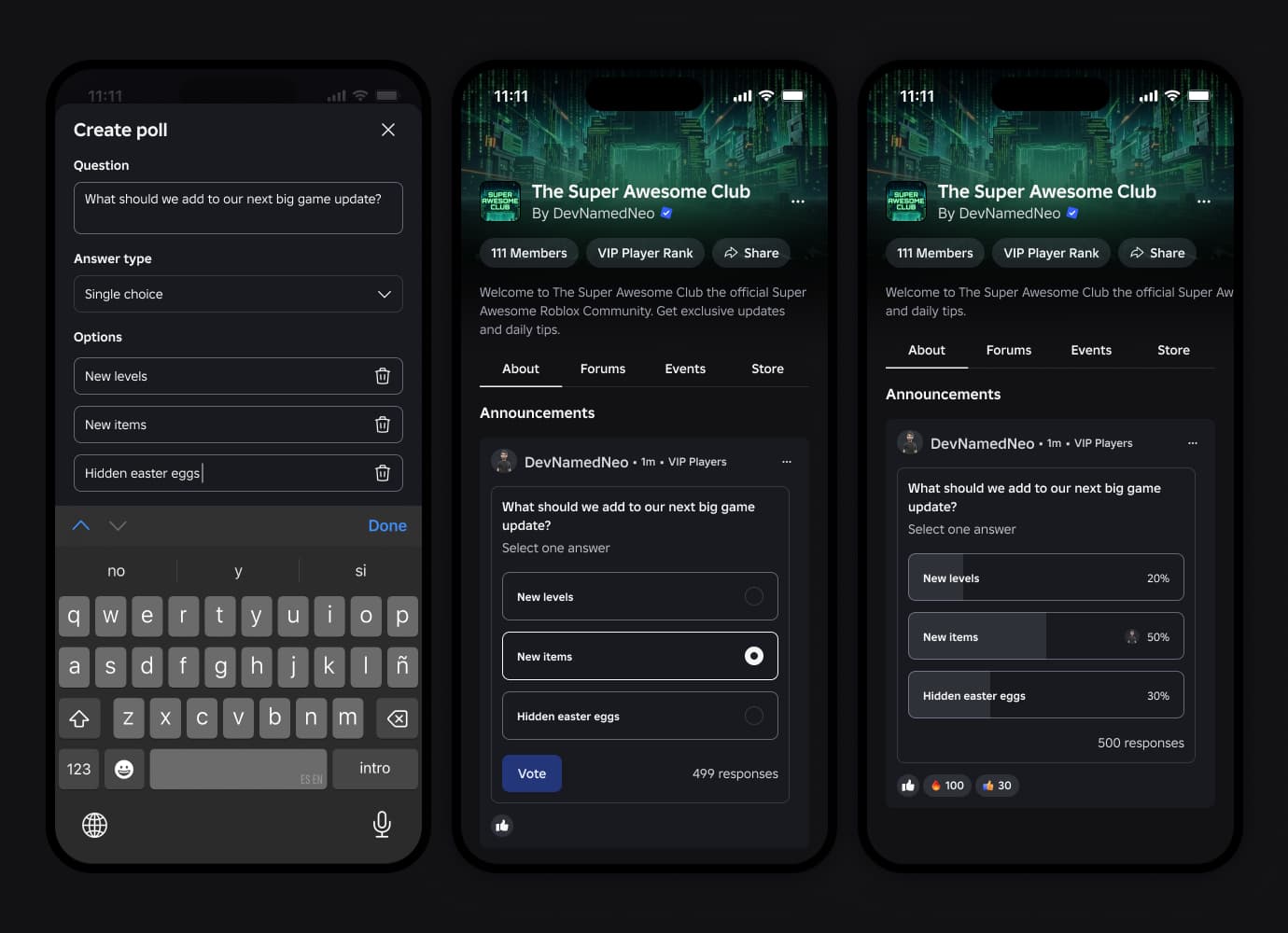
Anyone with the "Create community announcements" permission can attach a poll to an announcement, offering either single-choice or multiple-select answers with custom options. Voting is anonymous, limited to community members, and results update live as a percentage breakdown as people vote. To build one, a creator opens the Community's About tab, selects Create, adds a poll in the Poll field, saves it, and publishes the announcement.
Push Notifications
Any announcement can be sent as a push and in-app notification to every member of the Community. To prevent spam, Roblox rate-limits this to one notification-carrying announcement every 7 days, and members can opt out of them entirely in their settings.
5. Community Analytics
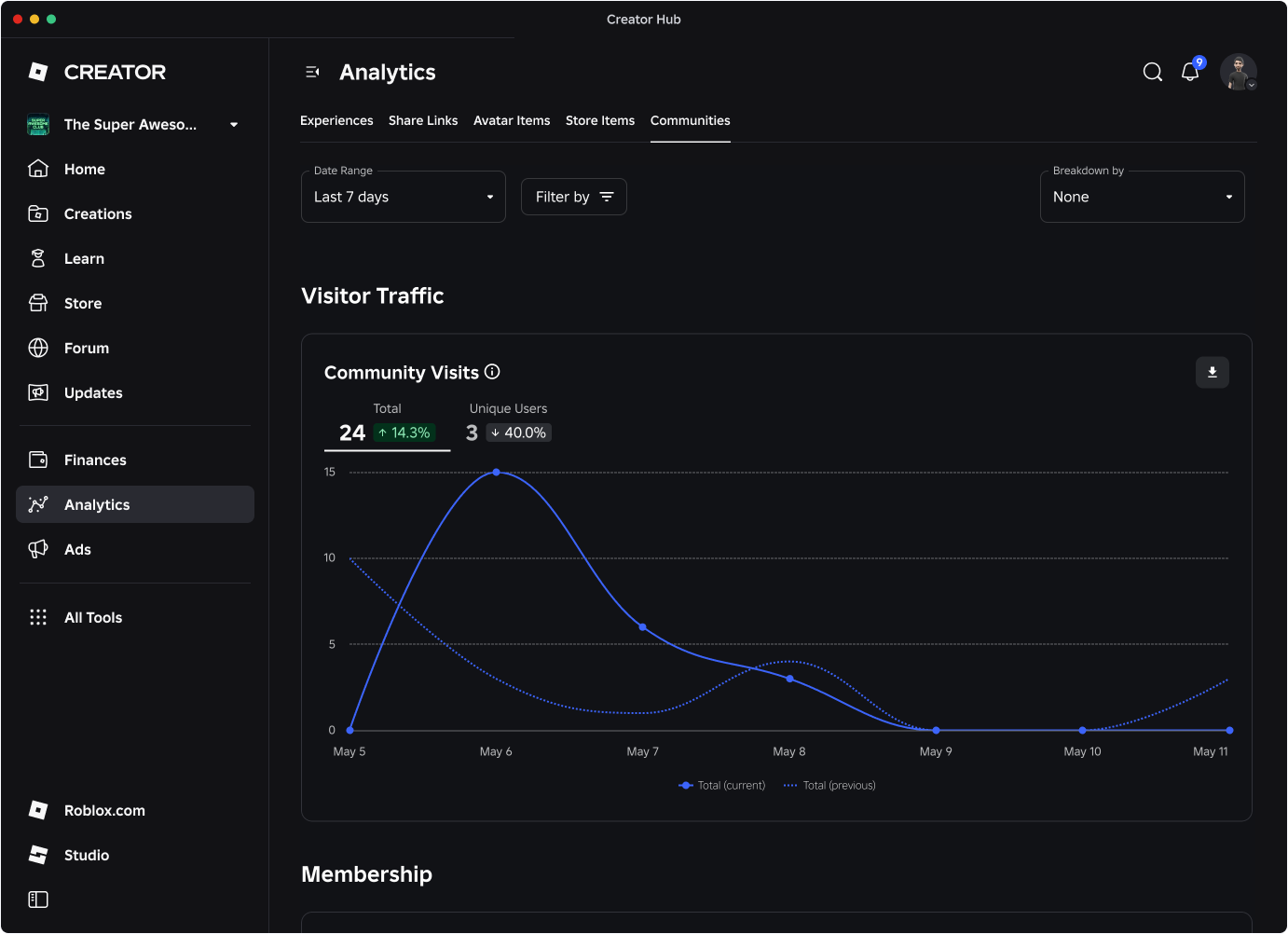
Creator Hub now has a dedicated analytics tab for Communities, separate from the per-experience stats creators are used to. The general Community Analytics dashboard tracks page visits, unique visitors, total members, new joins, member churn and forum engagement, with a quick snapshot on the Community's own admin page and a deeper dashboard inside Creator Hub.
A more specific Announcement Analytics tool shipped on August 5, 2026, tracking an announcement's reach, engagement and notification click-through rate over any date range a creator picks, including a chart that compares up to three announcements side by side. The quick snapshot lives under Community > Configure Community > Analytics, with the full comparison charts in Creator Hub under the group's Analytics > Communities tab.
6. Player Support Tickets (Rolling Out)
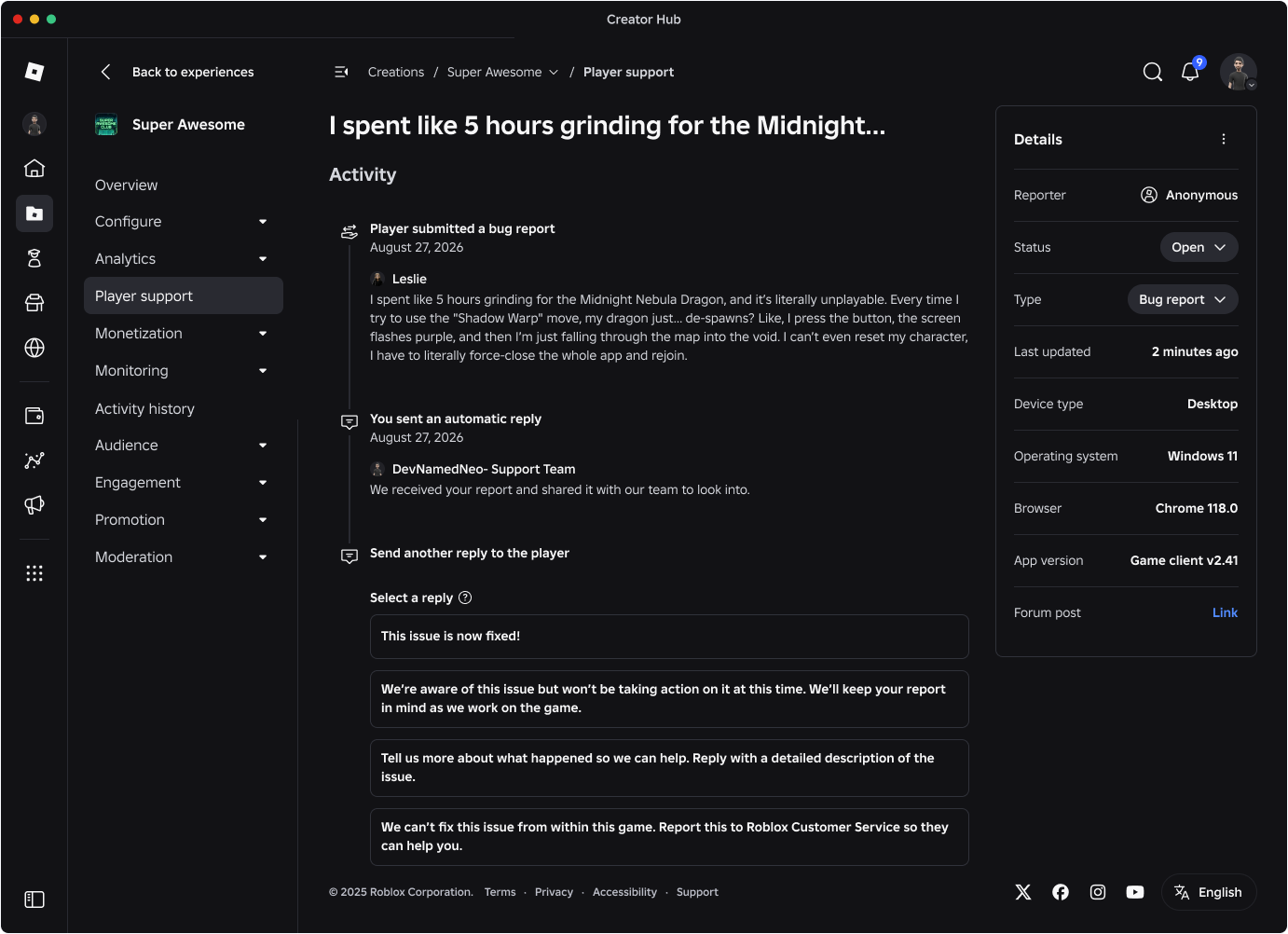
Roblox is also building a structured support system into Communities. Instead of a player posting a bug report into a forum and hoping a moderator sees it, Player Support turns it into a ticket: it starts in-game, lands in a Creator Hub queue that automatically sorts tickets by category, and lets the creator send status updates or pre-approved reply templates. At launch, players can attach screenshots (video attachments are planned later), and they can track their ticket's status through a dedicated Player Support Portal. Freeform text replies from creators aren't available at launch but are planned for players aged 13 and over after the initial rollout.
7. Quick Tips
- Looking for a creator's co-dev team setup and revenue split instead of their fan page? That's the separate Groups system inside Creator Hub, not Communities.
- Want to post in or create a 16+ restricted forum category? You'll need to complete Roblox's age check first — it won't work off a self-reported birthdate alone.
- Polls only work inside Announcements, and only for members with the right permission — they aren't a general forum feature yet.
- If a Community goes quiet on push notifications, check settings before assuming it's inactive — Roblox caps notification-carrying announcements to one per week.
- Player Support is still rolling out in pieces through 2026, so don't expect freeform replies or video attachments on day one.
For more on how Roblox verifies accounts and keeps younger players in age-appropriate spaces, see our guide to Roblox's age verification and chat tiers, and for the platform's other recent creator-facing changes, check Roblox's October 2026 Creator Hub update. You can find every other guide on the game in our full Roblox and walkthroughs archive.