Roblox Avatars Explained: Dynamic Heads, R6/R15/Rthro Rigs and How the Marketplace Works
Roblox spent early 2026 replacing every Classic Head and Face with a Dynamic Head. Here's what changed, how head shapes, R6/R15/Rthro rigs and Layered Clothing work, and exactly how Marketplace commissions are split.
If your Roblox avatar's face suddenly looks a little different, you're not imagining it. Roblox has spent 2026 finishing a years-long project to replace every Classic Head and Face with a Dynamic Head — and that migration is just one piece of a much bigger avatar system that most players never see explained in one place. Here's how Dynamic Heads, Roblox's three avatar rig types, Layered Clothing and the Marketplace all actually fit together.
1. What Changed: Classic Heads and Faces Are Gone
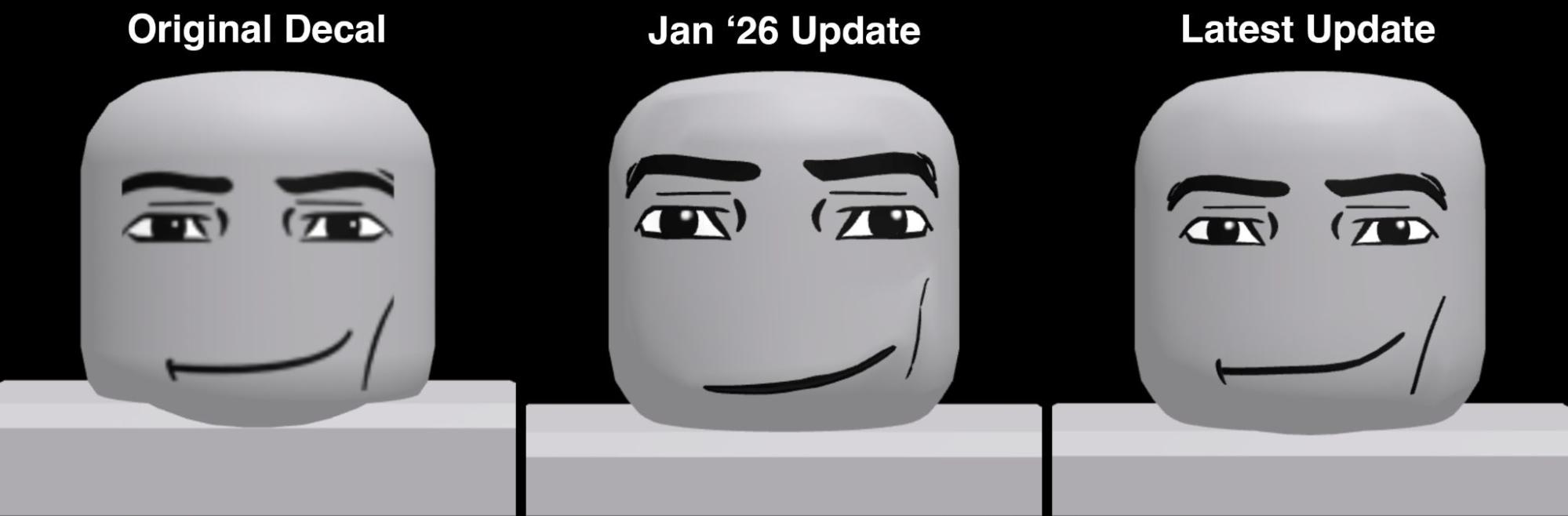
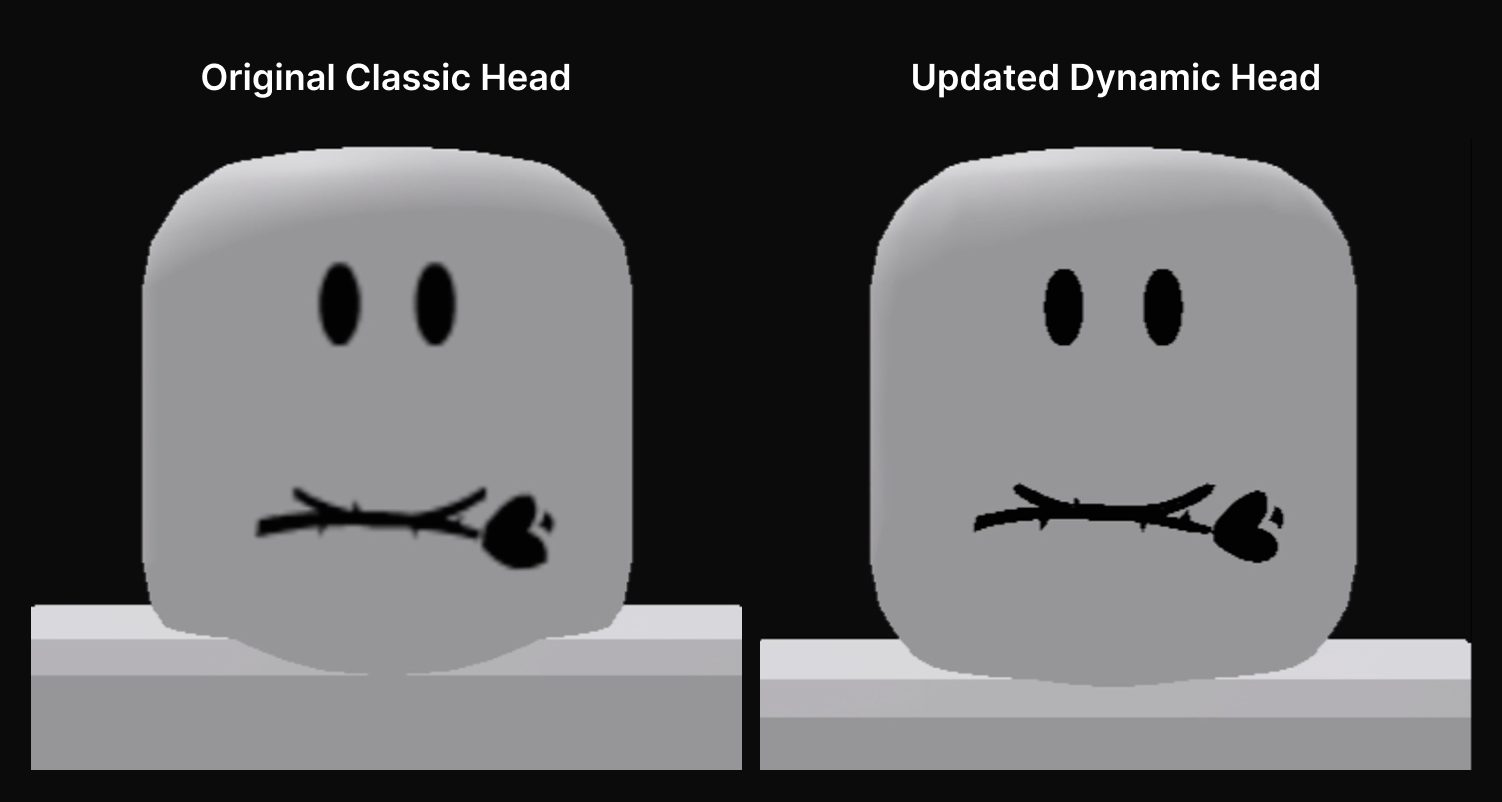
In a January 27, 2026 post on the Roblox Developer Forum titled "Completing the Dynamic Head Migration," Roblox staff announced that every Classic Head and Face combination would be converted into a matching Dynamic Head, after which the separate Classic Heads and Classic Faces categories would be removed from the Marketplace and Avatar Editor entirely. The stated reason was consistency: Classic Heads and Faces are flat, static decals that don't meet the cage-mesh and animation requirements Roblox now applies to anything sold in the Heads category.
The original post targeted a February 2026 completion. In practice, Roblox said in a March 23, 2026 update that it was "rolling out the update" that day — about a month later than first planned, after several rounds of visible quality fixes in between.
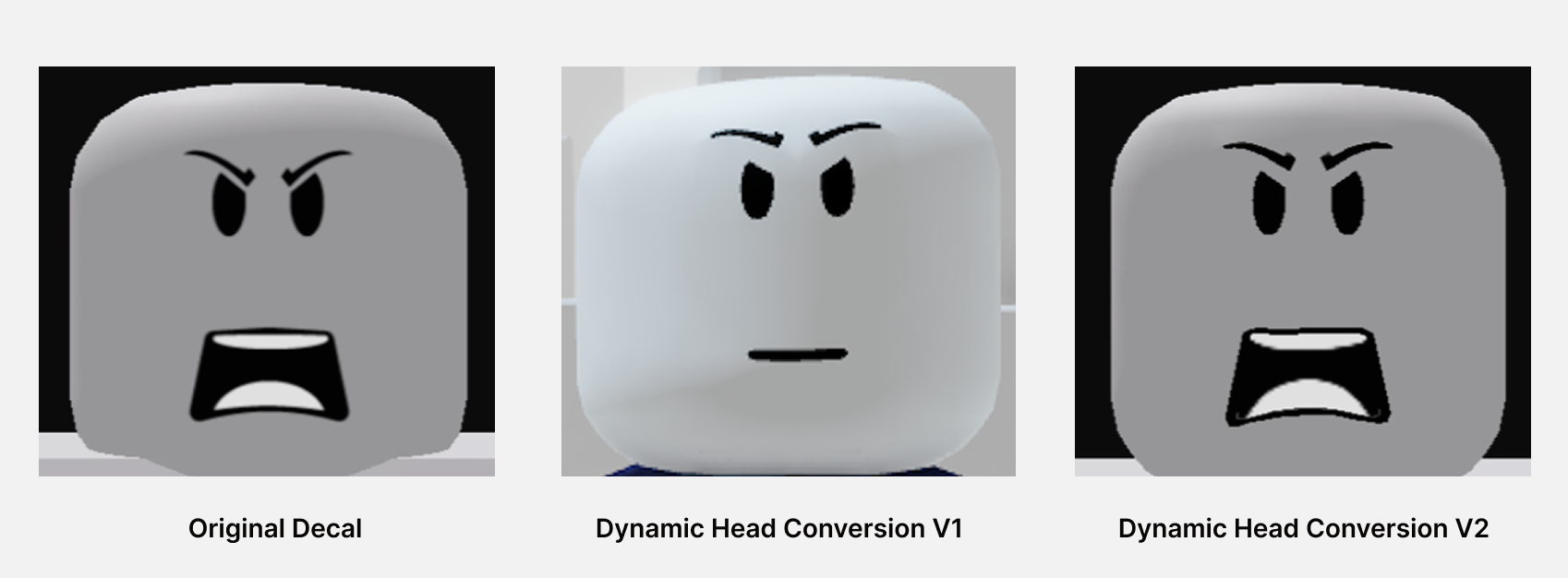
Two things did not change, according to a February 4, 2026 clarification from staff: Roblox is not deprecating R6 avatars, and it is not deprecating 2D (classic) clothing. The migration only touches heads and faces.
2. What Dynamic Heads Actually Are
Per Roblox's official Creator Hub documentation, a Dynamic Head is a rigged avatar head built from four layers: the mesh and textures that form its shape and look, facial animation data that lets the eyes, eyebrows and mouth move, cage meshes that let facial accessories like hair or beards deform with the face, and attachments for hair and hats. In Roblox Studio, the facial animation data lives in a FaceControls instance, and the cage meshes are stored as WrapTarget instances.
To support full facial expressions in avatar chat, an avatar body needs at least 17 distinct FACS poses — things like eye closures, a jaw drop, and individual lip movements — and the documentation requires three validated landmarks on the head's outer cage: a left eye, a right eye, and a mouth. That's the technical bar every converted Classic face had to clear.
3. Head Shapes: Mixing and Matching a Face
Because Classic faces used to be glued to one specific head shape, Roblox added a new Head Shape selector so players don't lose that flexibility after the conversion. In the Avatar Editor's Head Adjustment panel, players can browse every head shape they own and pair it with a converted Classic face, and saved avatars keep both the chosen head shape and whatever animation setting was active.
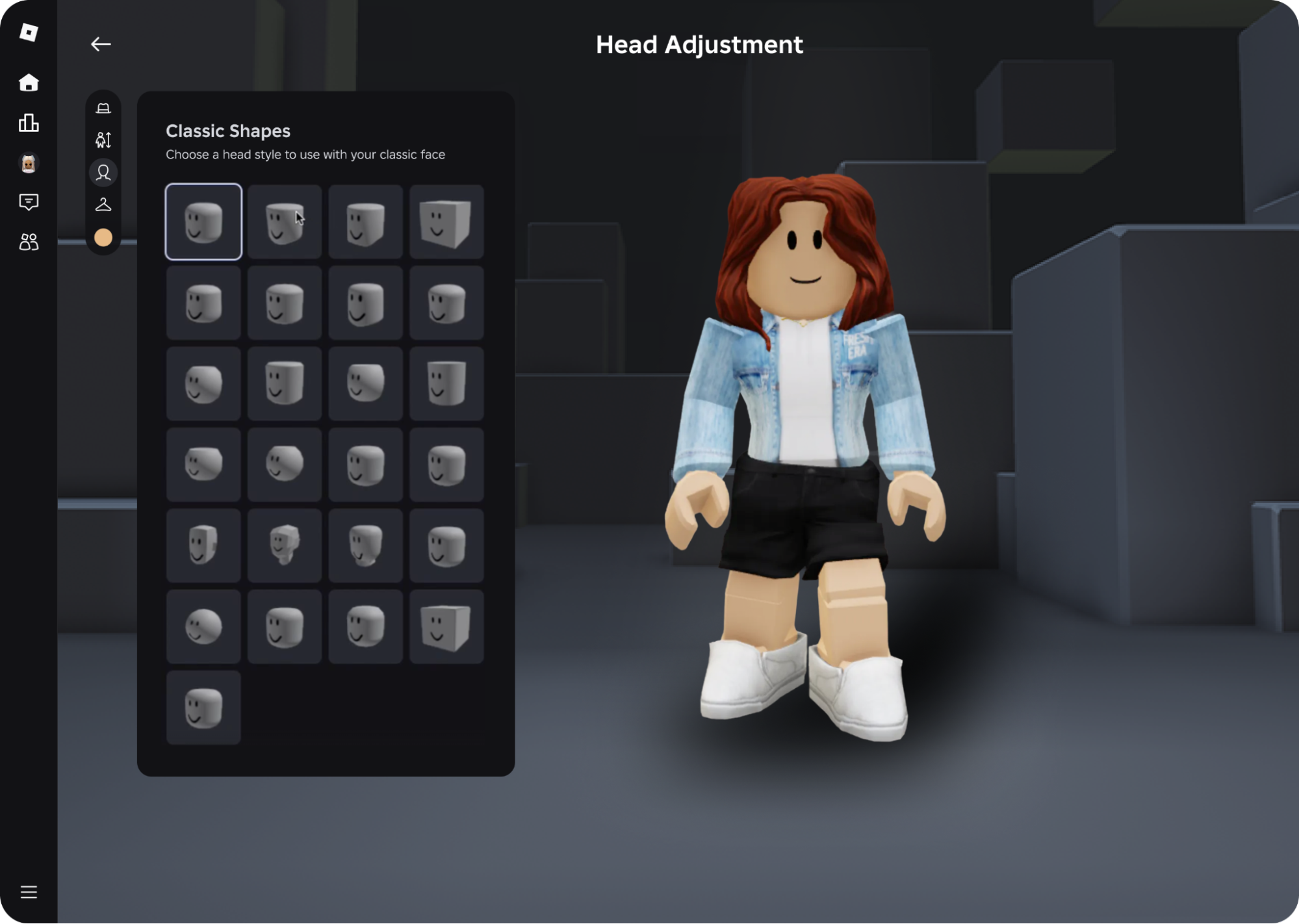
There's also a straightforward off switch. A toggle in the Head Refinement tab — exposed to developers as the HumanoidDescription.StaticFacialAnimation property — lets a player disable facial animation entirely, in which case the head simply holds the expression of the original Classic face. A handful of unique shapes, like the Hex Head, are exceptions: Roblox says they stay permanently paired with their original face and can't be mixed with other shapes.
Staff also confirmed the conversion is strictly 1:1 — no extra copies of anyone's head were created or sold on the Marketplace — and that Limited heads kept their original serial numbers, quantities, and resale behavior through the switch.
4. Avatar Rig Types: R6, R15 and Rthro
Separate from the head system, every Roblox avatar also uses one of three body rigs, and the platform's own GameAvatarType enum lists all three: R6, R15, and PlayerChoice (which simply defers to whatever rig the player picked on their own Avatar Editor page).
- R6 is the original, legacy rig, built from 6 mesh objects: a torso, two one-piece arms, two one-piece legs, and a head. Its limbs move as single rigid units.
- R15 is the modern standard rig, built from 15 mesh objects. A "standard" R15 rig has 15 required poseable joints; an "advanced" R15 rig can add up to 37 optional joints for the spine, clavicle, head base, fingers and toes, allowing much smoother animation.
- Rthro isn't a separate rig at all — according to Roblox's own Rthro Scaling Specification on the Developer Forum, it's a scaled subset of R15 that stretches the proportions taller and leaner for a more human-like look, while still being fully R15-compatible underneath.
Individual experiences can restrict which rig types they allow, which is why some games still show you as the blocky R6 figure while others default straight to R15 or Rthro.
5. Layered Clothing: Outfits That Fit Any Body
Roblox's other major avatar system is Layered Clothing, cosmetic 3D items that stretch and wrap over an avatar's body and over other clothing, instead of rigidly attaching at one point like classic accessories. Roblox first shipped it as a Roblox Studio beta in October 2021 (enabled via File > Beta Features > "3D Layered Clothing") and fully launched it in April 2022, letting players stack up to six layers of clothing on top of any existing classic outfit.
Under the hood, a layered clothing item is built from three parts: the mesh and textures that give it its look, a rigging armature so it moves with the avatar's animations, and cage meshes plus attachments that control how it fits and layers. An inner cage wraps the body itself, while an outer cage lets another item of clothing layer on top of it — the same underlying "wrap deformer" technology Roblox built for Dynamic Heads' facial accessories. Creators build these as a single .fbx or .gltf file in tools like Blender or Maya, then run it through Roblox's Avatar Setup tool before it can be listed for sale.
6. The Marketplace: How Buying and Selling Works
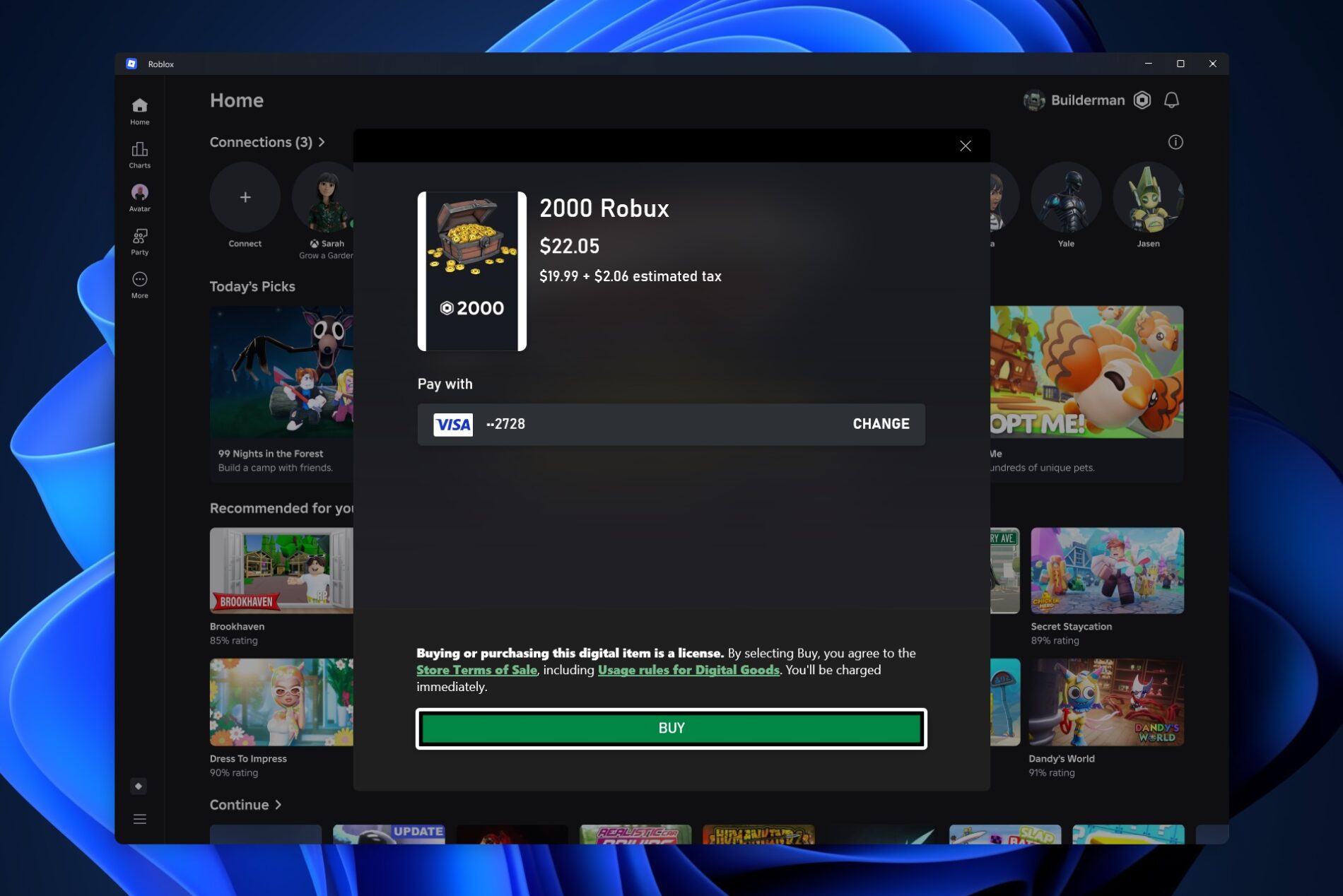
All of this — Dynamic Heads, head shapes, layered clothing, rigid accessories, emotes and even avatar makeup — gets bought and sold through one place: the Roblox Marketplace, reachable from the web or the Roblox app. According to Roblox's official Creator Hub documentation, when an item sells through the Marketplace the creator receives a 30% commission. When the same kind of item sells inside a specific experience instead, the creator still receives 30% and the experience's owner receives an additional 40%.
Only eligible, Roblox-reviewed creators can publish items for sale in the first place, and every submission goes through a moderation pass before it reaches the shop. If you'd rather earn Robux than spend it, Roblox's own documentation covers every legitimate way to do that — see our full breakdown of how Robux purchases, Premium and DevEx payouts actually work, and if you want to try building something to sell yourself, our beginner's walkthrough for getting started in Roblox Studio covers the basics.
7. Limited Items and the Fine Print
Limited avatar assets — items sold in a fixed quantity — follow the same 30% commission structure as any other Marketplace sale, but with one extra perk for the original creator: Roblox's documentation confirms creators also earn an additional 10% commission on the value of every resale after the item leaves its first owner. That's on top of the per-unit fee Limited sellers already pay to list a capped-quantity item in the first place.
For avatar items specifically tied to heads, the documentation also notes that developer-facing catalog calls like SearchCatalog and GetInventory now return empty results for the old "Face" and "Head" asset types, and that any Classic asset still referenced in a HumanoidDescription automatically redirects to its Dynamic Head equivalent — so old experiences and saved outfits keep working without anyone having to manually update them.
Roblox has continued refining the avatar system since the head migration rolled out — the Creator Hub's own documentation comparing classic and dynamic heads was still being updated as of October 23, 2026, and the company's broader October 2026 Creator Update added new avatar makeup and Studio tools on top of everything covered here.
Quick Tips Recap
- Classic Heads and Faces no longer exist as a separate Marketplace category — they were automatically converted to Dynamic Heads, and old items still work through automatic redirects.
- Don't like the animated expression? Turn it off in the Head Refinement tab; the head will just hold its original Classic expression instead.
- You can still mix a converted Classic face with any head shape you own, except for a small list of unique, permanently-paired shapes like the Hex Head.
- Your avatar's body is separate from its head — it's always R6, R15, or the scaled, more human-proportioned Rthro variant of R15.
- Layered Clothing stacks up to six items and fits any body shape; classic rigid clothing and accessories still work exactly as before.
- Selling on the Marketplace pays a flat 30% creator commission, plus an extra 10% to the original creator on every resale of a Limited item.
Official Resources
- Completing the Dynamic Head Migration — Roblox Developer Forum
- Dynamic Heads — Roblox Creator Documentation
- Layered Accessories — Roblox Creator Documentation
- Monetizing Avatar Items on the Marketplace — Roblox Creator Documentation
Want more on how the platform works? Browse the full Roblox and other game walkthroughs archive on Walkthroughs.net.