Minecraft 26.4 Snapshot 9 Explained: Vulkan Becomes Default, Data-Driven Dispensers and The Deep Freeze's Final Stretch

Minecraft's 26.4 Snapshot 9 and its Snapshot 10 hotfix landed this week, making Vulkan the game's permanent default graphics API and switching dispensers to a data-driven system. Here's everything that changed, and what it means for The Deep Freeze update as it nears release.
Mojang's Java Team pushed out Minecraft 26.4 Snapshot 9 this week, followed almost immediately by a small Snapshot 10 hotfix. Together they mark the last stretch before The Deep Freeze — Minecraft's next full game drop — leaves testing and ships to everyone. The headline change is a big one: Vulkan is no longer an experiment, it's the graphics API Minecraft will default to. Alongside it, Mojang quietly shipped a modding-relevant change to how dispensers work, plus a handful of keybind, accessibility and bug fixes.
Here's exactly what changed in these two builds, why the Vulkan switch matters more than it looks, and where that leaves the rest of The Deep Freeze as it heads toward release.

1. What Actually Shipped in Snapshot 9 and 10
Snapshot 9 is a Java Edition-only test build, meaning it's opt-in through the Minecraft Launcher's installations tab rather than something that changes your regular game. Its patch notes describe it as bringing "data-driven dispensers, Vulkan as the default graphics backend, and a new setting to fine-tune your fog," alongside keyboard navigation and narration improvements. A day later, Mojang shipped Snapshot 10 as a follow-up fix for bug MC-313265, which crashed the game while scrolling through the Multiplayer menu — the kind of quick turnaround that's typical for snapshots found to have a game-breaking regression right after release.
None of this touches Bedrock Edition directly, but it matters for Bedrock players too: Java snapshots are where Mojang finalizes the mechanics that later ship identically on both platforms. The ice caves, Frostbite mobs and Calcite blocks already previewed on Bedrock are the same systems these Java snapshots are now locking into place.
2. Vulkan Is Now Minecraft's Default Graphics API
This is the change worth paying attention to if you play on PC. Vulkan is a modern, lower-overhead graphics API that Mojang has been testing as an alternative to the older OpenGL renderer for several snapshot cycles. In Snapshot 7, the "Graphics API" video setting's "Default" option was changed to randomly pick either OpenGL or Vulkan every time the game started, specifically so Mojang could gather comparable crash and performance data from both. As of Snapshot 9, that randomization is gone: "Default" now behaves the same as manually selecting "Prefer Vulkan," and Vulkan is no longer flagged as experimental.
Mojang's own developer notes are candid about the risk here — the plan is to ship the full 26.4 drop with Vulkan as the default renderer "unless any critical issues are discovered before the full release." If your game performs worse or feels less stable after updating, the fix is the same video settings menu: switch "Graphics API" to "Prefer OpenGL" to roll back to the renderer Minecraft has used for over a decade.
Why This Matters
Graphics backend changes are rare and risky for a game with Minecraft's hardware range, from decade-old laptops to high-end gaming PCs. A successful switch to Vulkan should mean better frame pacing and fewer stutter spikes on supported hardware over time, but it's also exactly the kind of under-the-hood change that tends to surface edge-case bugs on unusual driver and GPU combinations. Expect bug reports and hotfixes to keep landing on this specific setting right up to launch.
3. Data-Driven Dispensers: A Quiet Change With Big Modding Implications
Buried under the headline Vulkan news is a change that matters a lot to datapack and resource pack creators: dispense behaviors are now data-driven. Previously, what happened when you fired a dispenser — launching an arrow, placing a boat, dyeing wool, filling a bucket — was hardcoded into the game's Java code. Snapshot 9 introduces a new registry folder, dispense_behavior, where each entry is a JSON file describing a sequence of behaviors the game tries in order until one succeeds.
Vanilla behaviors like minecraft:boat, minecraft:bone_meal, minecraft:fire_charge and minecraft:default_projectile are now defined through this system rather than buried in engine code. In practice, this means datapack creators will eventually be able to define custom dispenser behavior for new items without writing a mod — the same philosophical shift Mojang has been making across other systems for years, moving logic out of hardcoded Java and into editable data files. It's not a flashy change, but it's the kind of plumbing work that quietly makes the game more flexible for years afterward.
4. Smaller Fixes: Keybinds, Fog Settings and Friend Lists
A handful of smaller changes round out Snapshot 9:
- A new "Repeat Recipe/Trade" keybind (R by default) repeats the last crafting recipe or villager trade used, splitting that function off from the Space and Enter keys it previously shared.
- "Improved Fog" is now its own video setting, separated from "Improved Transparency." Previously the two were tied together; now you can blend sky fog into the render-distance fog without also blending clouds, or vice versa. It's on by default on the Fancy and Fabulous graphics presets and off on Fast, since Mojang notes the performance cost is small but can be noticeable on weaker hardware.
- The random boost window for riding a Pig with a Carrot on a Stick (or a Strider with a Warped Fungus on a Stick) is now a flat 7-to-35-second range.
- Fire and Soul Fire now use the extinguish sound effect as their block-break sound, including when the block supporting them is removed.
- The Recipe Book now shows a tooltip for each tab's category, and highlights recipes when they're hovered or keyboard-focused.
- Friends list availability updates are faster and more reliable.
5. Accessibility Keeps Expanding, Screen by Screen
Mojang has been rolling out keyboard navigation and screen-reader narration one gameplay screen at a time since Snapshot 7, when the Crafting Table, Stonecutter, Loom, Enchanting Table and villager trading screens first became fully usable without a mouse. Snapshot 9 extends that same support to the Recipe Book and the Creative Inventory. Tab now moves between a recipe's tabs, search box, filter button, recipes and page buttons; Enter or Space places a recipe the way a left-click would, Shift adds the modifier for a Shift-click, and double-pressing collects matching items like a double-click does.
On the narration side, the game now reads out Recipe Book entries by their result item and grid position, announces which tab and page is active, and narrates Creative Inventory tabs and items by name and position. It's incremental work, but it's steadily closing the gap between Minecraft's gameplay screens and the keyboard-and-narrator support more of the game's menus already have.

6. Where This Leaves The Deep Freeze
Snapshot 7, released on November 3, was billed by Mojang as shipping "the final gameplay features for the upcoming game drop" — the Calcite block set and its Pillar, Slab, Stair and Wall variants, plus the "Flurry" music disc found in igloo basement chests. We covered that snapshot's full block and music additions in our breakdown of Snapshot 7's final content drop. Since then, Snapshots 8 and 9 have been almost entirely about stability, accessibility and engine work rather than new blocks or mobs — a clear sign the gameplay side of this update is locked and Mojang is now in the polishing phase.
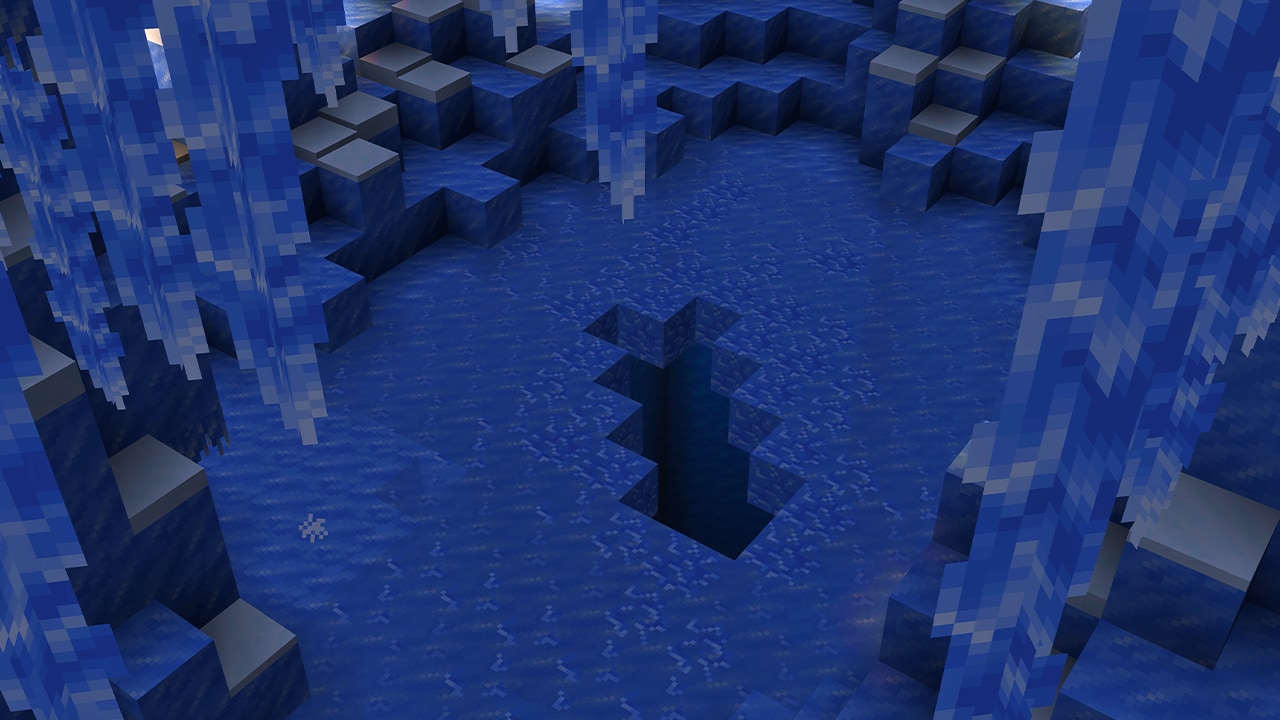
That gameplay content is substantial. The drop was formally named The Deep Freeze after months of going by the community nickname "Winter Drop," and it centers on a new underground Ice Cave biome generating beneath the Overworld's colder regions. These caves are built almost entirely from Packed Ice and Calcite, lit only by glowing Ice Crystals since Glow Lichen doesn't spawn there, and lined with Icicles that grow downward from the ceiling and deal damage if they break loose above a player. The new Frostbite mob — a zombie variant that switches between melee attacks and thrown Ice Balls depending on range — spawns there alongside the usual cave mobs, and applies a Freezing effect that slows jump height and deals damage over time unless the target is wearing leather armor or standing near fire. We go deeper on the biome and its mob in our full Ice Caves and Frostbite guide.
What's still missing is a release date. Mojang has only committed to a Q4 2026 target for the full launch of Java 26.4 and its Bedrock counterpart; no specific day has been announced, and the standard pattern for Minecraft game drops is a short run of release-candidate builds after the snapshot series wraps up. Based on Snapshot 7's framing, that release-candidate phase should start soon, since there's little gameplay left to test.

7. Quick Recap and Official Resources
If you only take three things from Snapshot 9 and its hotfix: Vulkan is now Minecraft's intended default renderer going forward, so check your video settings after updating if something looks or runs differently; dispensers are now driven by editable data files instead of hardcoded behavior, which is good news for anyone who builds datapacks; and the gameplay side of The Deep Freeze has effectively been finished since Snapshot 7, with recent builds focused entirely on fixes, accessibility and engine stability ahead of launch.
For players who want to try these changes themselves, Java snapshots are opt-in through the official launcher and are not recommended for survival worlds you care about, since snapshot saves aren't guaranteed to work in later versions. For everything else happening across Minecraft right now, our full guide archive is the best place to keep up with each new build as it lands.
Official Resources: