Microsoft Sudoku Explained: Classic & Irregular Modes, Daily Challenges and the XP System
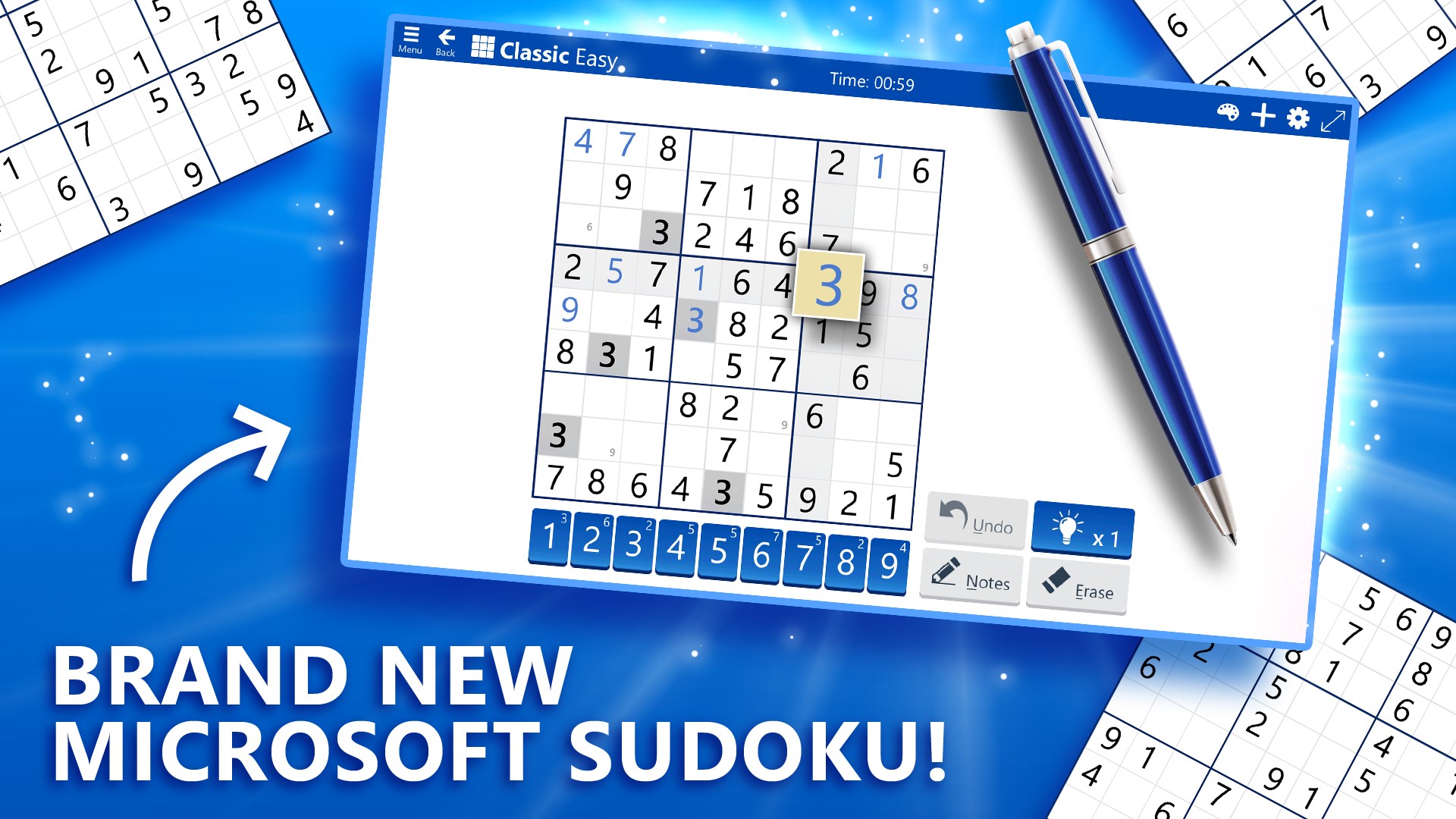
Microsoft Sudoku packs six Classic difficulty levels, a jigsaw-style Irregular mode, three rotating Daily Challenges and an XP ladder that runs from Apprentice to Grandmaster. Here's how every mode, tool and ranking system works, plus core solving techniques for tougher grids.
Microsoft Sudoku is the free digital version of the classic number-logic puzzle, published by Xbox Game Studios for Windows, iOS, Android and the web. Underneath the familiar 9x9 grid, the app packs six difficulty levels, a separate Irregular (jigsaw) mode, rotating Daily Challenges and an experience-point progression system that tracks you from "Apprentice" all the way up to "Grandmaster." If you have only ever played Sudoku on paper, or you are wondering what all the extra modes and badges actually do, here is a complete breakdown of how the app works and how to get better at solving every puzzle it throws at you.
1. What Is Microsoft Sudoku?
Microsoft Sudoku is built around the same rule set as the newspaper puzzle: fill a 9x9 grid, split into nine 3x3 boxes, so that every row, column and box contains the digits 1 through 9 exactly once. The official app description calls it "the #1 logic puzzle game" and promises "hundreds of brain training puzzles for players of all ages," generating a fresh, unique puzzle every time rather than pulling from a fixed archive. The app is free to download and play, supported by ads that can be removed with a Premium subscription, and it syncs progress through a Microsoft account across devices.
2. Classic Mode and the Six Difficulty Levels
Classic is the standard mode: a normal 9x9 grid with the standard row/column/box rule. Microsoft Sudoku offers six difficulty levels in this mode, letting newer players stick to easier grids with more starting digits while experienced solvers can jump into the hardest puzzles, which give far fewer clues and require chains of deduction rather than simple scanning. Because every puzzle is freshly generated, there is no way to "look up" a solution online the way you might for a printed puzzle with a fixed number — you are always solving a unique grid.
If match-3 and tile games are more your speed between Sudoku sessions, our guide to Block Blast's modes and scoring combos covers a different kind of grid-based puzzle logic.
3. Irregular Mode: Jigsaw Sudoku With a Twist
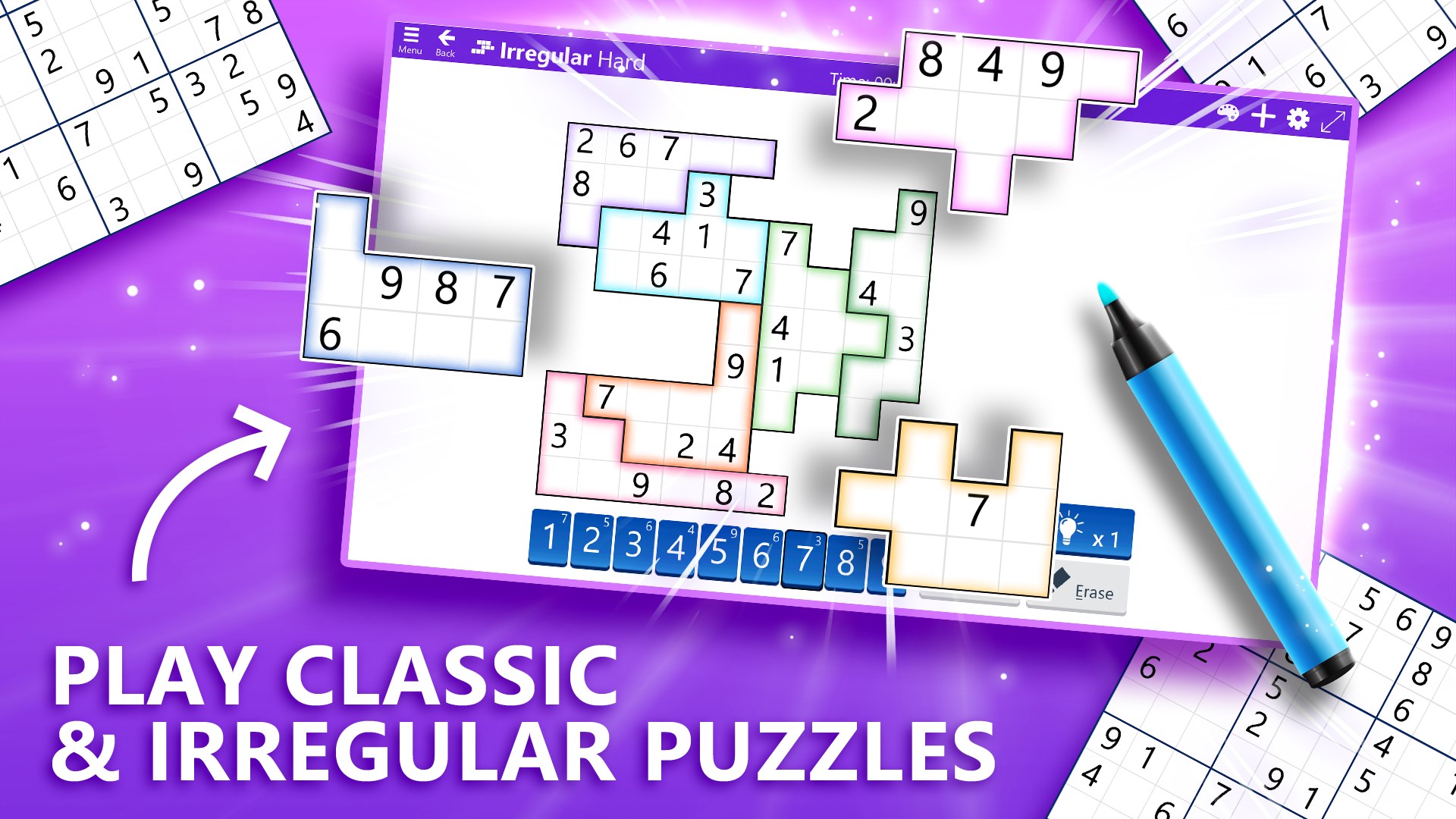
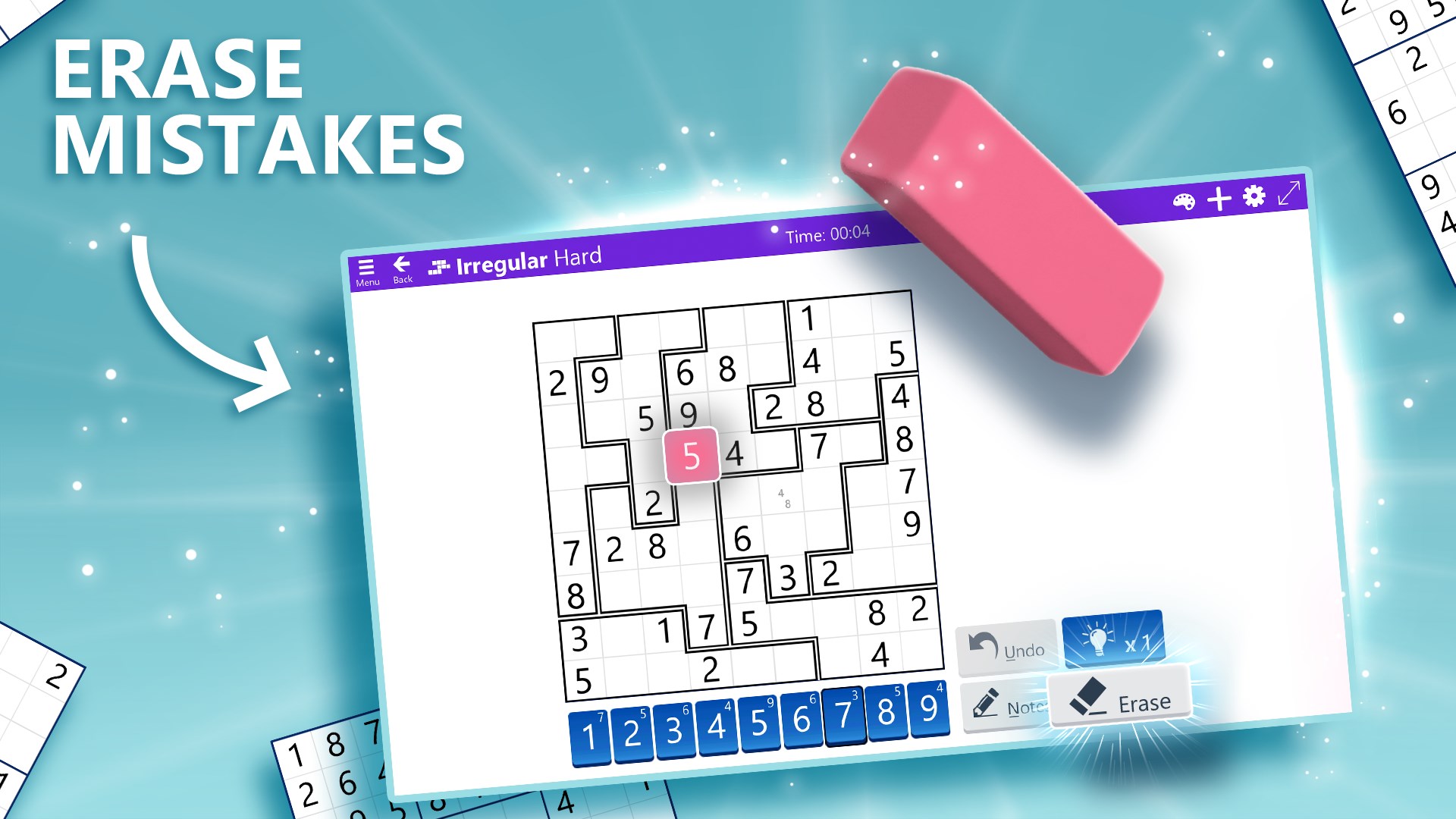
Irregular mode keeps the same core rule — every digit 1 through 9 once per row, column and region — but replaces the standard 3x3 boxes with oddly shaped, colour-coded regions of nine cells each. This is commonly known as jigsaw Sudoku outside the app, and it forces a different kind of visual scanning, since you can no longer rely on a neat square grid to spot which numbers are missing from a region. Microsoft Sudoku's own listing describes it as "the same rules but each block of numbers is in fun and colorful shapes," and it is available at its own set of difficulty tiers, including an Irregular Hard setting for players who have cleared the standard grids.
4. Daily Challenges: Classic, Irregular and Ice Breaker
Every day the app offers three separate Daily Challenge puzzles, each tagged with a difficulty (Easy, Medium, Hard) and an XP reward shown directly on the challenge card. The three rotate through the game's three core modes: Classic, Irregular, and Ice Breaker. Ice Breaker is a twist mode where placing the correct number or symbol sends out a shockwave that cracks blocks of ice covering the board, adding a light puzzle-within-a-puzzle layer on top of the normal Sudoku rules. Completing Daily Challenges earns in-game coins and progress toward monthly milestones — the app tracks "Days remaining" in the current month alongside a running count of challenges completed, encouraging a short daily session rather than one long sitting.

5. Themes: Numbers, Charms and More
Microsoft Sudoku includes four visual themes you can switch between in the settings menu, including a "Charms" theme that swaps the digits 1-9 for a set of symbols instead of numerals. The underlying logic never changes — you are still placing nine unique values per row, column and region — but the Charms theme is a popular option for players who find a grid of small icons easier to scan at a glance than a grid of similarly shaped digits, and it gives the puzzle a noticeably different look without changing the difficulty.
Players who enjoy word-based puzzles alongside number grids might also like our breakdown of how Wordscapes levels and bonus words work.
6. Tools of the Trade: Notes, Hints, Undo and Erase
Along the bottom of every puzzle screen, Microsoft Sudoku gives you four tools: a number pad for placing digits, a Notes toggle for pencilling in candidate numbers in a cell without committing to one, an Erase button, and a limited number of Hints (shown with an "x1" counter) that will reveal a correct digit when you are stuck. An Undo button lets you step back through recent moves without having to erase cells manually. Small numbers printed faintly inside empty cells in some screenshots are candidate notes left behind from earlier scanning — exactly the kind of pencil-mark system serious Sudoku solvers use on paper, just built into the interface.
7. Leveling Up: XP, Badges and the Path to Grandmaster
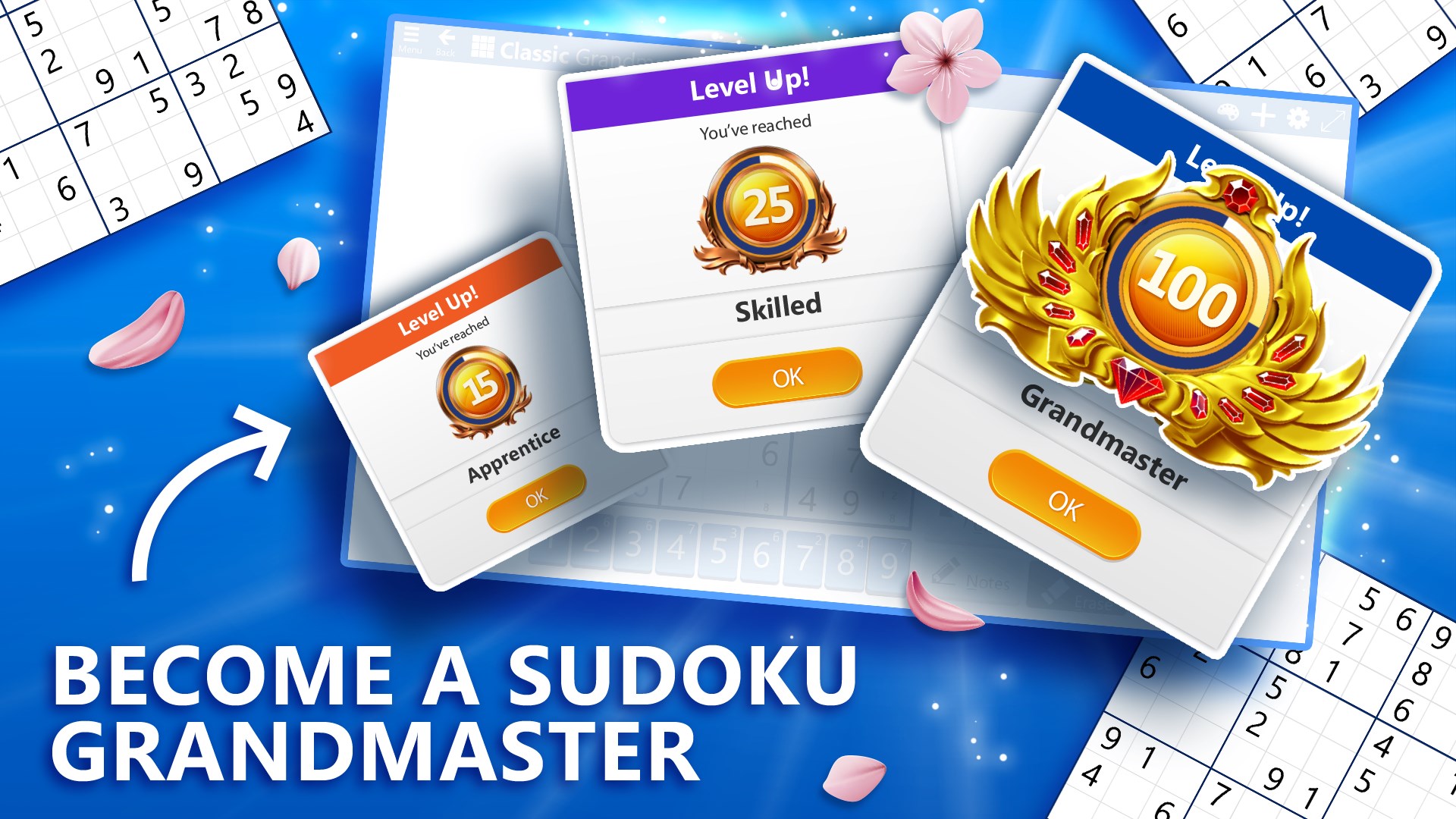
Finishing puzzles earns experience points that move you through a series of ranked levels, each marked with its own badge and title. The app's own promotional material shows three of these milestones directly: level 15 ("Apprentice"), level 25 ("Skilled"), and level 100, which carries the top title of "Grandmaster," complete with a gold laurel badge. Each time you cross a level threshold, a "Level Up!" card pops up naming your new rank before you return to the puzzle. It is a long-term structure layered on top of the puzzles themselves, giving players a reason to keep clearing Daily Challenges and Classic grids well after they have mastered the base rules.
8. Core Sudoku Solving Techniques for Every Mode
Whether you're on Classic, Irregular or Ice Breaker, the same foundational techniques carry over from paper Sudoku:
- Scanning: Look along a row, column or 3x3 (or irregular) region for the digits that are missing, then check which empty cells can legally hold each missing digit based on what already appears in their own row, column and region.
- Single candidates: If pencil-mark Notes show only one possible digit left for a cell after eliminating every number that already appears in its row, column and region, that digit is confirmed.
- Hidden singles: Sometimes a digit can only go in one cell within a region even though that cell shows multiple candidates — if every other cell in the region already rules out that digit elsewhere, it belongs there.
- Naked pairs: When two cells in the same row, column or region share the exact same two candidate digits, those two digits can be eliminated as candidates from every other cell in that line or region.
- Work the constrained regions first: In Irregular mode, start with the oddly shaped regions that are squeezed into a corner or edge of the grid — their unusual geometry often rules out candidates faster than a standard square box would.
For a faster pace, our guide to Two Dots' connect-the-dots rules and power-ups is a good next stop if you want a lighter puzzle format for short sessions between Sudoku grids.
9. Free-to-Play, Premium and Keeping Sessions Short
Microsoft Sudoku is free with ads, and a Premium subscription (monthly or yearly, purchased in-app) removes them. Nothing about Premium changes the puzzles themselves — difficulty levels, Irregular mode and Daily Challenges are all available on the free tier. Because the game generates puzzles on demand rather than shipping a finite pack, there's no "running out" of content; the design instead leans on the three Daily Challenges and the XP ladder to give players a reason to come back once a day rather than binge the whole app in one sitting.
Fans of other mobile match-3 puzzlers will find a similar daily-event structure in our Royal Match power-ups and booster combo guide.
Quick Tips Recap
- Start on Classic Easy or Medium to learn scanning and single-candidate deduction before trying Irregular mode.
- Use the Notes tool to pencil in candidates rather than guessing — it mirrors the pencil-mark method serious solvers use on paper.
- Check all three Daily Challenges (Classic, Irregular, Ice Breaker) each day for the fastest route to XP and coins.
- In Irregular mode, work the smallest or most oddly shaped regions first — they eliminate candidates faster.
- Save Hints for genuine dead ends; Undo is free and unlimited, so use it liberally while practicing new techniques.
Official Resources
- Microsoft Sudoku on the Microsoft Store
- Sudoku — Wikipedia overview of the puzzle's rules and history
Looking for more puzzle and mobile game breakdowns? Browse the full walkthroughs and guides archive for additional titles.